

Creating Maps in SwiftUI apps with MapKit
Learn how to integrate Maps using MapKit in modern iOS applications.

How we display and use maps in our applications has come a long way since SwiftUI was initially announced and the MapKit framework began providing direct support for it with dedicated views and modifiers.
To display a map using MapKit in a SwiftUI application, we need the Map view, which displays an embedded map interface in the app UI. If it is alone in the view hierarchy, it fills up the available space, but it can be easily adapted to fit your user interface layout with modifiers to add padding, change the frame, and add a corner radius to it.
VStack(alignment: .leading) {
	Map()
		.cornerRadius(20)
		.frame(maxHeight: 300)
}
.padding()
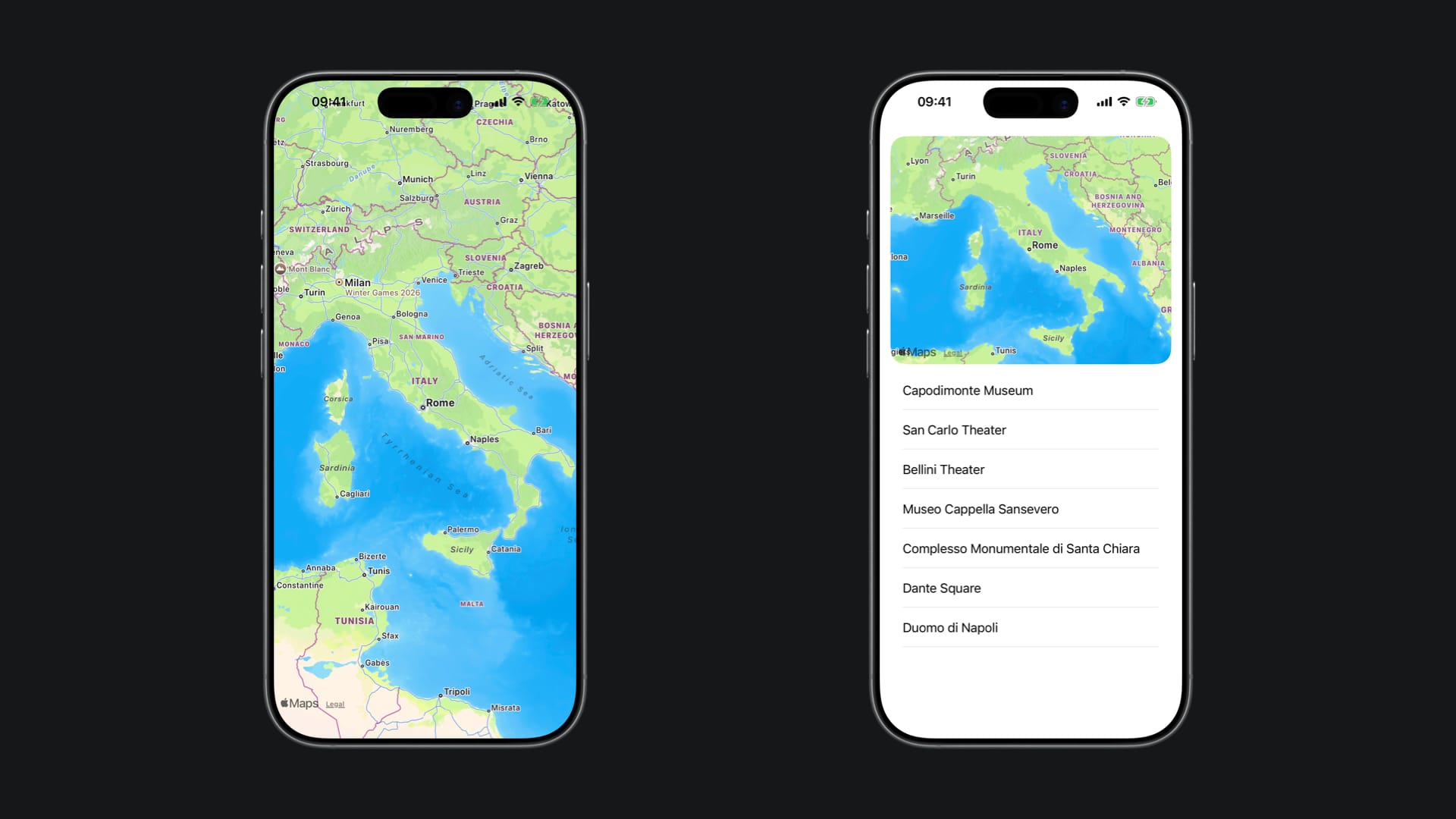
There is quite a lot of flexibility when it comes to how we want to allow the user to interact with a map in our application. The available initializers allow the creation of:
- Empty maps with predefined bounds, interaction modes, and scope
- Maps with custom content (markers, annotations, overlays, etc.)
- Maps with a selectable map feature binding (MapFeature?) or a custom selected value type
- Maps with an initial camera position set once at creation (initialPosition)
- Maps with a two-way binding to the camera position (position) for dynamic tracking and control
- Any combination of the above — mixing content, selection, camera positioning, bounds, interaction modes, and scope as needed
Defining the initial camera position
The initial camera position of a map is defined by the type MapCameraPosition. It contains a number of properties to support framing the content of the map.
There are several methods to set a camera position for a map, as outlined in its documentation page. These methods include:
- Using a pre-existing map camera
- Defining a camera position based on a map item
- Defining a camera position based on a set of boundaries
- Defining a camera position based on a map region
- Using the user’s location to set the map camera
Here is an example of a camera setup for the initial position of a map, creating a new camera setting up the distance, the pitch, and the heading values.
struct MapWithInitialCameraPosition: View {

    private var cameraPosition: MapCameraPosition {
        let centerPosition = CLLocationCoordinate2D(latitude: 40.83583, longitude: 14.24861)
        let distanceValue: CLLocationDistance = 1000.0
        let pitchValue: Double = 60.0
        let headingValue: CLLocationDirection = 220.0

        let mapCamera = MKMapCamera(lookingAtCenter: centerPosition, fromDistance: distanceValue, pitch: pitchValue, heading: headingValue)

        let camera = MapCamera(mapCamera)

        return MapCameraPosition.camera(camera)
    }

    var body: some View {
        Map(initialPosition: cameraPosition)
    }

}
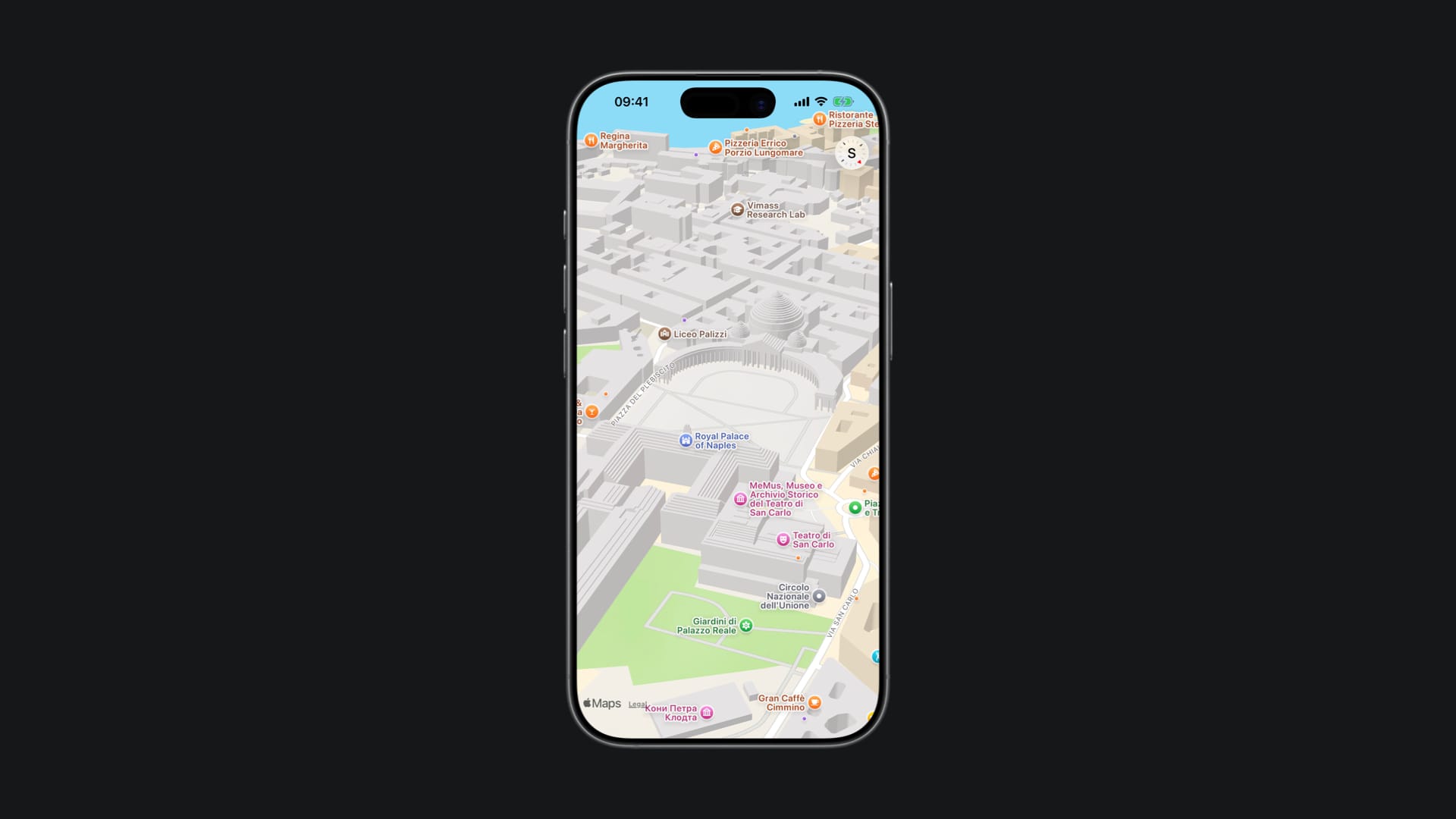
By using the initializer Map(initialPosition:bounds:interactionModes:scope:content:) we are just setting the initial position of the map with the camera, but by using a version of the Map view initializer that takes a binding for the camera position, such as Map(position:bounds:interactionModes:scope:content:), you can change the values of the camera dynamically.
Defining the camera bounds
When initializing a map with the Map(bounds:interactionModes:scope:) initializer, you can define the camera view of the map, the types of interactions the user can have with the map and a namespace for the map to scope the interactions and updates done to it.
The camera bound defines an optional boundary of an area in which the center of the map needs to remain and is defined by the MapCameraBounds type.
private var cameraBounds: MapCameraBounds {
    // Piazza del Plebicito at Naples, Italy
    let centerPosition = CLLocationCoordinate2D(latitude: 40.83583, longitude: 14.24861)
    let boundsSpan = MKCoordinateSpan(latitudeDelta: 0.0, longitudeDelta: 360.0)

    let region = MKCoordinateRegion(center: centerPosition, span: boundsSpan)

    return MapCameraBounds(centerCoordinateBounds: region)
}

var body: some View {
    Map(bounds: cameraBounds)
}
The above implementation, for example, only allows the user to move the map horizontally, over the longitude of the map, since the boundsSpan constant has a latitude delta value of zero.
Working with maps in iOS applications has never been easier. Apple has been updating MapKit APIs every year, introducing new functionalities and allowing developers to create map experiences tailored for their applications.
These are examples of two ways of initializing maps within the UI of SwiftUI applications, but there are many other views and modifiers within the MapKit framework. For example, on WWDC 2025, the video Go further with MapKit showcased how finding and displaying places with MapKit evolved, new Geocoding APIs, and the new GeoToolbox framework.