Exporting SwiftUI views to images with ImageRenderer
Learn how to export SwiftUIViews to images with the ImageRenderer.


There are certain situations where you may need to export a portion of your user interfaces as an image or document. For example, if your app has a reward system, you may want to share the reward on another platform. Or if your app displays data on charts, you may want to share this data in a PDF document. With the help of the ImageRenderer object, you can easily create images from SwiftUI views.
This reference we will explain how the ImageRenderer works and how to use it to export a SwiftUI view.
Render to an Image
import SwiftUI

struct ContentView: View {

    @State var selectedColor : Color = .black
    @State private var image: UIImage?
    @State var isExpanded: Bool = false

    var body: some View {
        VStack {

            visionRender(color: selectedColor)

                Spacer()

            ColorPicker("**Select Color**", selection: $selectedColor)
                Spacer()

            Button("Export"){
                let renderer = ImageRenderer(content: visionRender(color: selectedColor))
                renderer.scale = UIScreen.main.scale
                image = renderer.uiImage
                isExpanded.toggle()
            }.buttonStyle(BorderedProminentButtonStyle())
        }
        .sheet(isPresented: $isExpanded){
            VStack{
                if let imageToShare = image {
                    Image(uiImage: imageToShare)
                    ShareLink(item: Image(uiImage: imageToShare), preview: SharePreview("Share", image: Image(uiImage: imageToShare)))
                }
            }
        }
        .padding(48)
    }
}

func visionRender(color: Color) -> some View {
    Image(systemName: "visionpro")
        .font(.system(size: 108))
        .foregroundStyle(
            color,
            EllipticalGradient(
                colors: [color, .black])
        )
}
In the provided code, the ContentView enables users to select a color using a ColorPicker and generate an image of a dynamically rendered Vision Pro icon based on the chosen color.
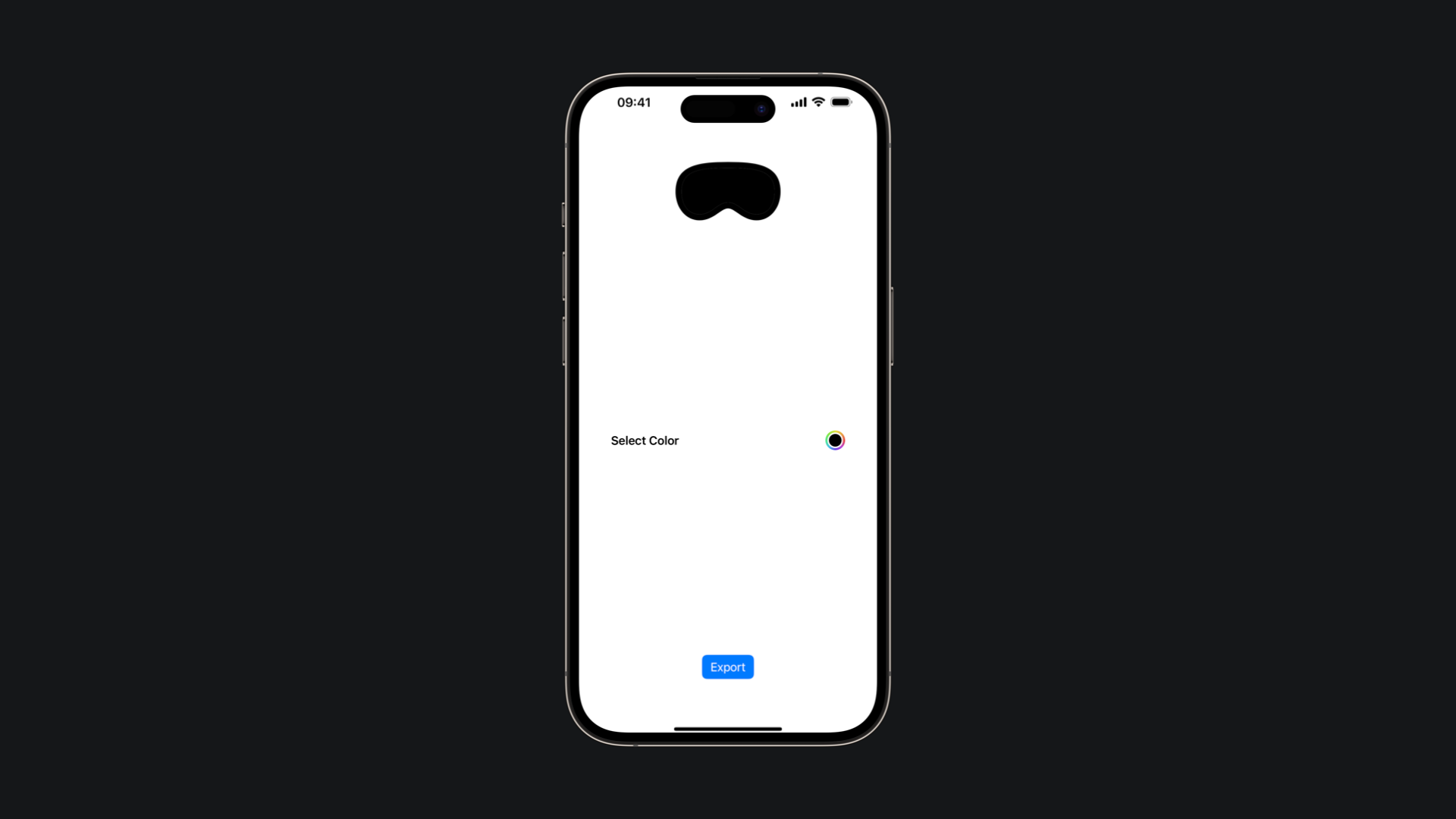
The state variables within ContentView include:
selectedColor: This variable stores the color chosen by the user via theColorPicker.image: It holds the exported image generated based on the selected color.isExpanded: This variable controls the presentation of a sheet within the interface.
The visionRender function dynamically constructs a SwiftUI view applying the selected color and some visual effect to an SF symbol.
When the user taps on the Button, the export process begins:
- A new instance of
ImageRendereris created, passing thevisionRenderfunction as content. - The render scale is set considering the device scale factor to increase the quality of the exported image.
- The
imagestate is updated with the rendered image. - The
isExpandedstate variable is toggled to display the exported image within a modal sheet.
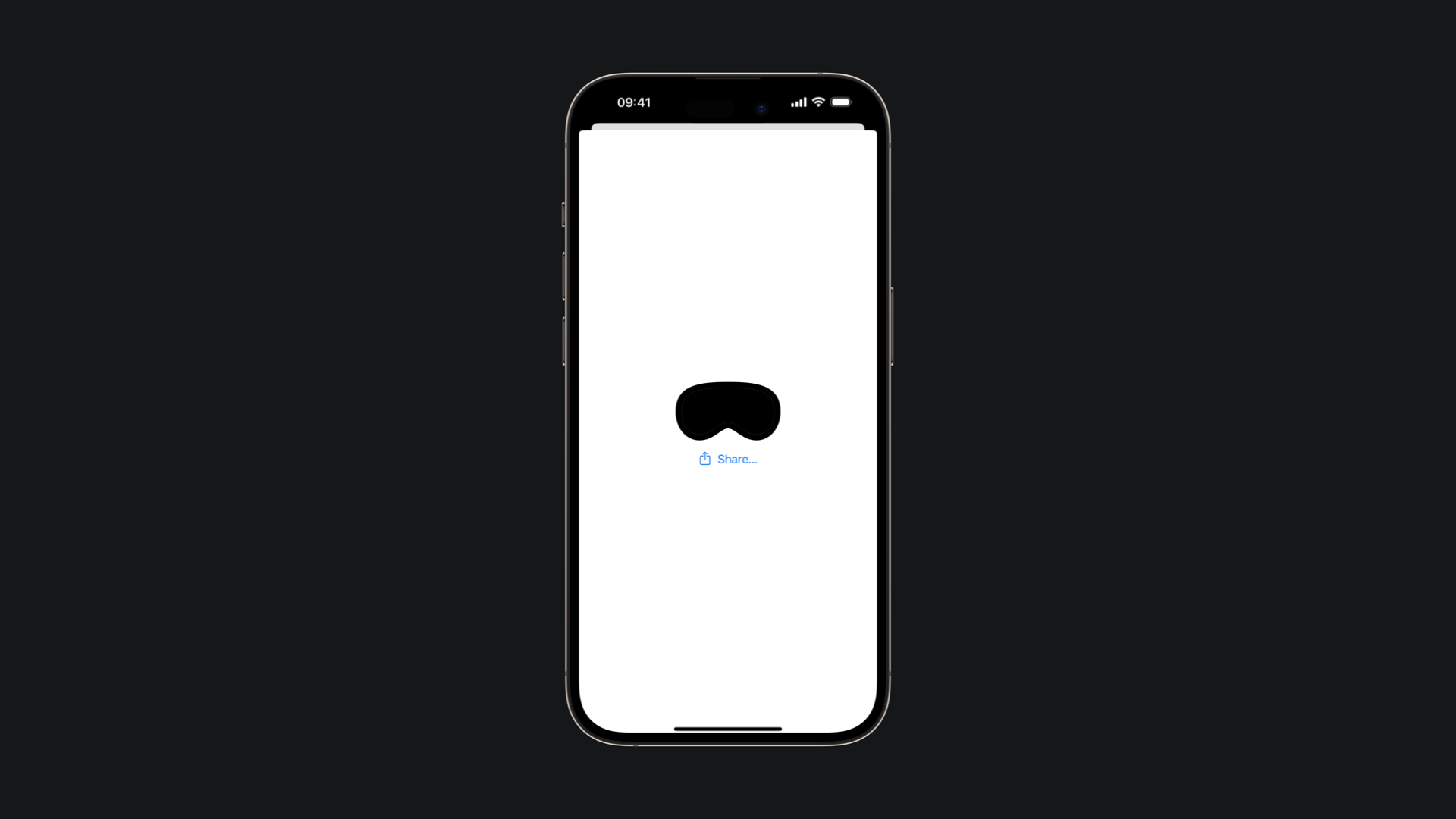
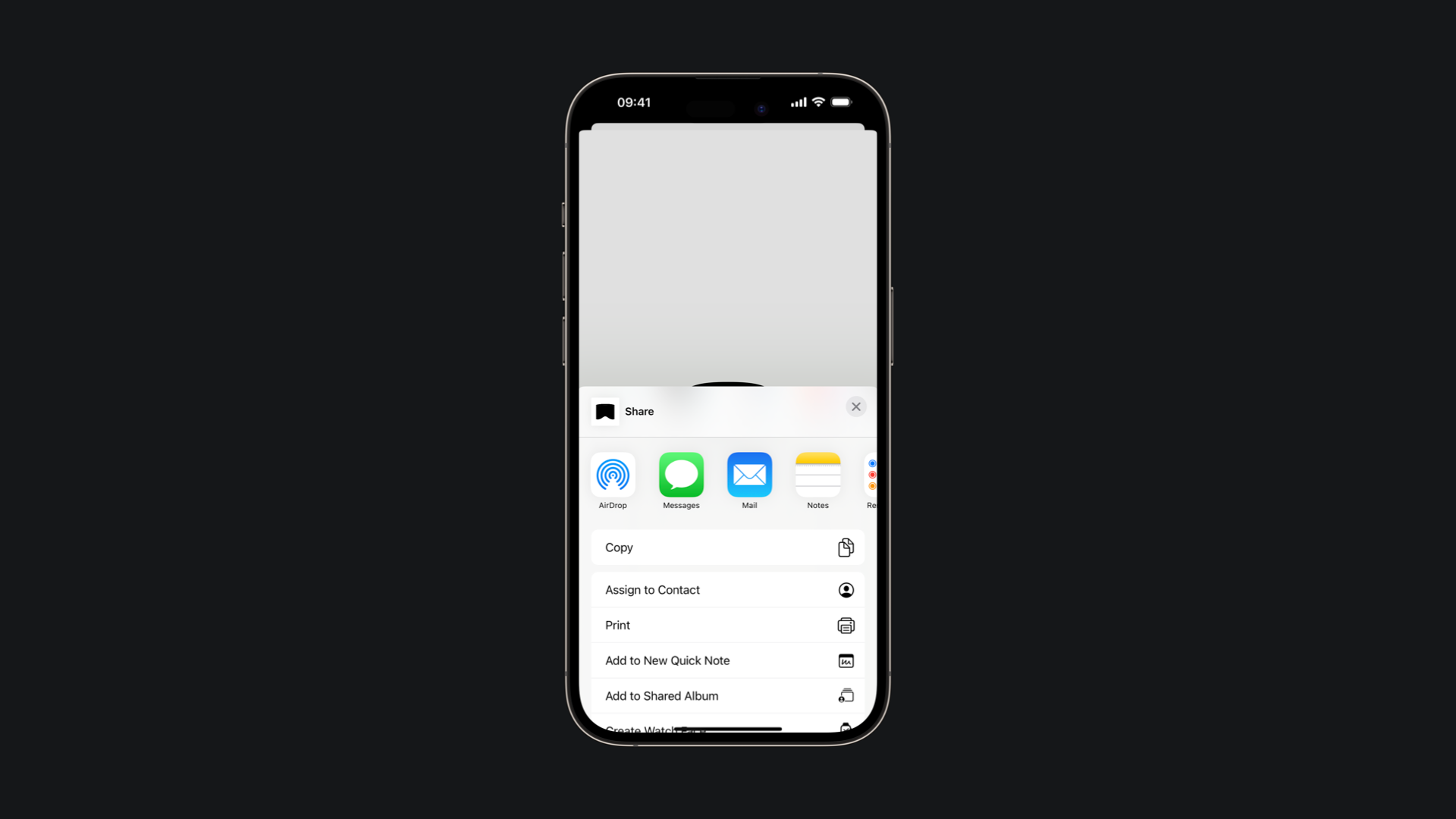
The sheet contains the exported image along with a ShareLink button, allowing users to easily share the image with others.
It is important to notice that not all the views will be rendered by the ImageRenderer. An example are WebViews and also MapViews.
According to the Developer Documentation:
It does not render views provided by native platform frameworks (AppKit and UIKit) such as web views, media players, and some controls. For these views, ImageRenderer displays a placeholder image.