Weekly Newsletter Issue 112
Weekly newsletter summing up our publications and showcasing app developers and their amazing creations.


Welcome to this week's edition of our newsletter.
Every Apple Design Award carries the same quiet message: the best apps are not just built well, they are felt.
That idea is especially relevant for Swift developers today. With SwiftUI, Apple platforms, and new design systems evolving so quickly, the challenge is no longer only “can we build this?” It is “can we make it feel obvious, elegant, and alive?”
That is also the spirit behind the "Indie App of the Week" section of this newsletter. Every week, we like to highlight apps that show what thoughtful app development means: a clear idea, careful design, native details, and the kind of polish users may never consciously notice but absolutely feel.
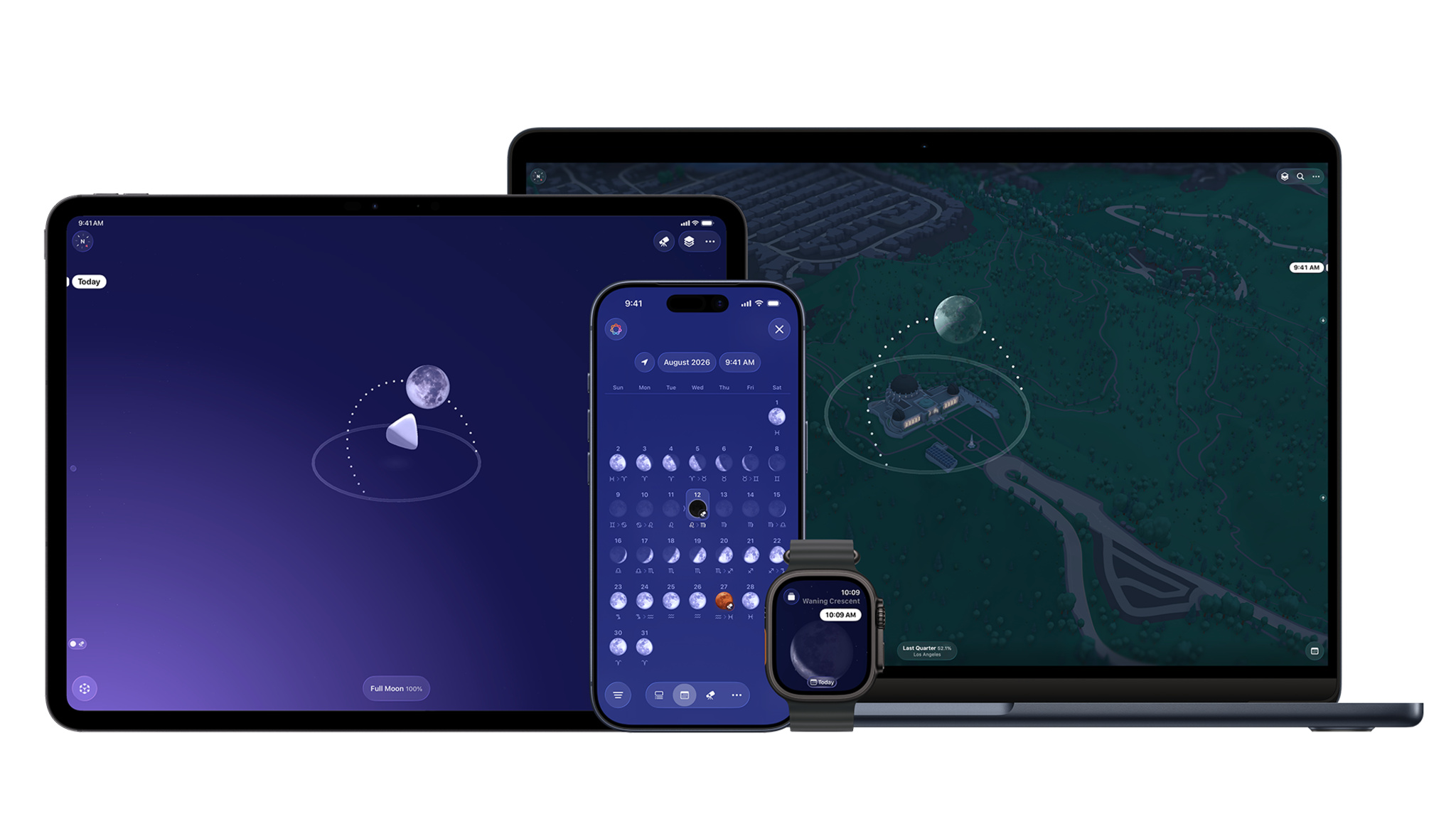
This week’s inspiration comes from Apple’s Developer story about Moonlitt, form Flipping Hues, a beautiful indie app that just won an Apple Design Award. It is a great read, and a perfect example of why indie apps deserve our attention.

Support us by becoming a sponsor!
Whether your goal is to raise brand awareness or promote your product or service, we offer flexible sponsorship options. We offer weeks, blocks of weeks, and even months to help you find your audience where they are.
 Create with Swift
For information about the current availability of weeks, send us an email.
From
The Community
SwiftUI's New .prominent Tab in iOS 27 Is Not a Floating Action Button
Sagar shares why SwiftUI’s new .prominent tab role should be used to highlight important destinations, not as a replacement for floating action buttons, toolbar actions, or “add” buttons.
 Sagar Unagar
New SwiftUI APIs for reordering and drag and drop on iOS 27
Natalia explores how iOS 27’s new SwiftUI reordering and drag container APIs bring native drag interactions to stacks, grids, and custom layouts.
 Natalia Panferova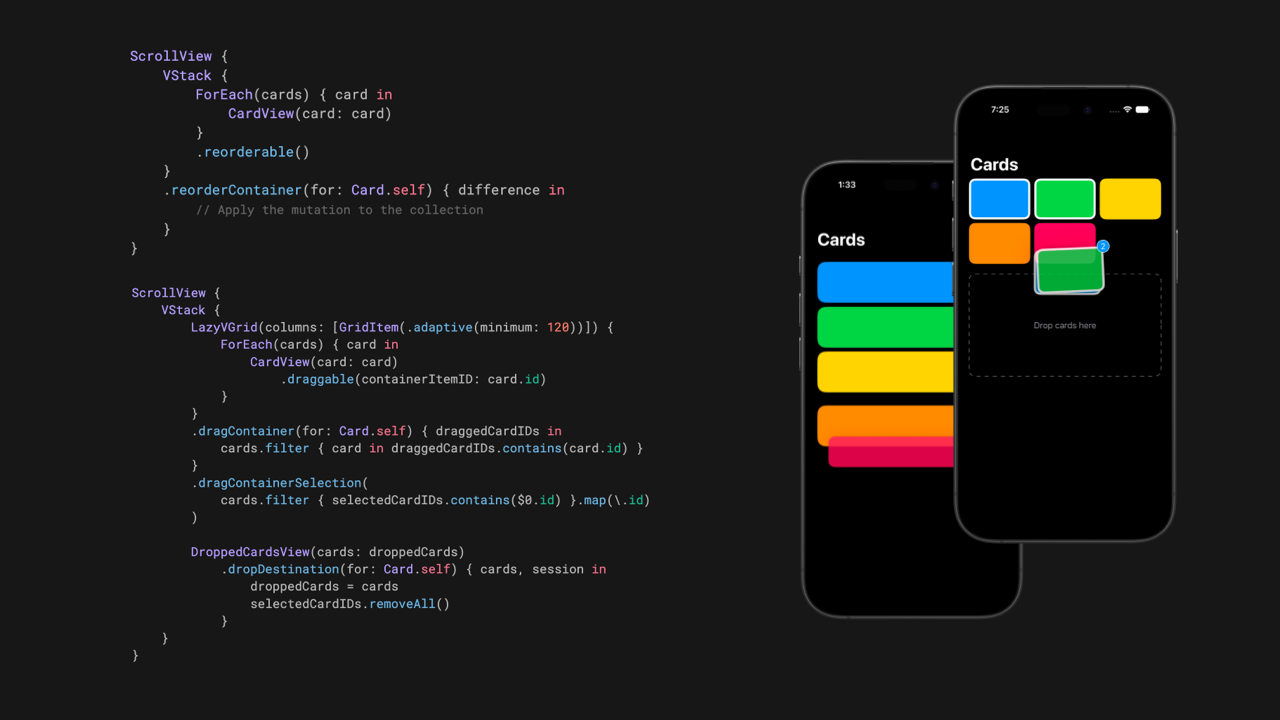
Adaptive TabView Layouts with .tabViewStyle(.sidebarAdaptable) in SwiftUI
Artem shows how `.tabViewStyle(.sidebarAdaptable) helps SwiftUI apps adapt navigation across iPhone and iPad, switching from a bottom tab bar to a sidebar-style layout without building separate navigation structures.
 Livsy
Livsy
iOS 27, Your App, and Siri
Jordan explains how iOS 27’s new Siri intelligence can work with your app’s data, covering AppEntity, app schemas, and APIs that help Siri understand and act on what’s currently on screen.
 Jordan Morgan
Indie App of the Week
Unwind
Few people consider their breathing habits, let alone the possibility of different techniques for various situations like focusing, calming down, or falling asleep. Most of us have relied on a single approach.
Unwind, developed by Kushagra, pairs each guided breathing exercise with hand-illustrated scenes and ambient sounds that animate in sync with your breath, making the whole thing feel less like a routine and more like a small escape. It covers the full arc of the day with exercises for waking up, staying focused, and falling asleep. It supports voice cues, haptics, and Apple Watch, so you can follow along with your eyes closed, Home Screen and Lock Screen widgets keep your daily progress visible at a glance, and sessions sync to Apple Health as Mindful Minutes.
 Mystical Bits, LLC
That's all for this week!
We can’t wait to see what you will Create with Swift.
See you next week!